Surreal Video
Vimi turns your photos into Surreal Video clips with one tap templates. Choose a style, upload an image, and let AI build motion in 10 to 20 seconds. The app keeps faces clear and supports multi person scenes. Browse different templates, create on mobile, and share your result with the Vimi community.
 Before

Vimi Studio
Switch to Vimi Studio on APP for advanced control and unlimited exports.

Find the Surreal Video Filter That Suits You
Discover the surreal video filter that perfectly matches your style and mood.
Vimi Surreal Video Filter Picks Templates
These Surreal Video filters turn a still photo into a short scene with motion. Each option uses a ready template. You only need one clear image. The app builds the clip in seconds.
Explore Surreal Video Use Cases in Vimi
Find the Surreal Video use cases in Vimi for portraits, pets, friends, and social posts that need a clear motion hook.
 Before
Miniature Universe Portrait Clips
Use one portrait and the Miniature Universe filter to place the subject in a small room or tiny street. Vimi adds soft light and small props around the face. The app keeps the main features visible while the scene shrinks. This suits profile videos and playful daily posts and short social updates.
 Before
Time Fracture Group Scenes
Upload a group photo and choose Time Fracture for a frozen moment. Vimi separates each face and body before it adds drift and light trails. One person can stay still while others move at a slower pace. The output keeps subjects distinct for friend groups and team posts and family updates.
 Before
Cosmic Reverie Pet Clips
Pick a clear pet photo and apply Cosmic Reverie. Vimi adds stars, soft clouds, and slow floating motion around the animal. The filter keeps fur and eye details visible as the background shifts. Use the clip for pet profiles, birthday posts, and calm evening updates that need a space theme.
Why Vimi Surreal Video Filters Fit Short Clips
Discover the simple template flow behind Vimi Surreal Video filters and how one photo becomes a short moving clip in minutes.
One Tap Motion Templates
Open the Vimi app and choose a Surreal Video template. Upload one clear photo or type a short scene idea. The template sets the style, motion, and timing. AI builds the clip in 10 to 20 seconds. You do not write long prompts or adjust manual settings.
One Tap Motion Templates
Open the Vimi app and choose a Surreal Video template. Upload one clear photo or type a short scene idea. The template sets the style, motion, and timing. AI builds the clip in 10 to 20 seconds. You do not write long prompts or adjust manual settings.
How to Create VimiSurreal Video in Three Steps?
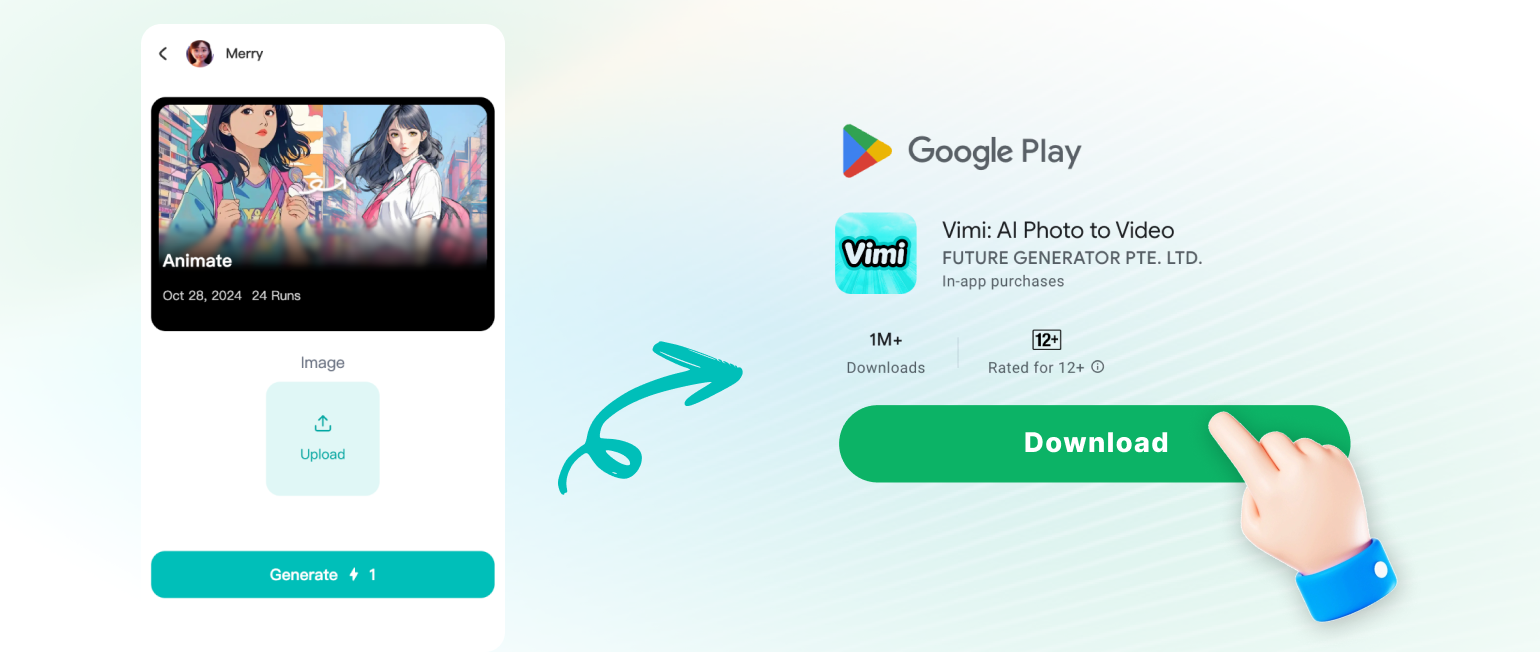
You can make a Vimi Surreal Video with three short actions. Pick a template, add your photo or text, then generate and save the clip.
Here is What People Think About Us
Miniature World for Profile Posts
I used Miniature Universe on a waist up portrait before a campaign post. Vimi placed me inside a small room with soft light and tiny chairs. The face stayed clear, and I downloaded the clip in under a minute.
Time Fracture for Group Photos
I tested Time Fracture with a three person photo from a family event. Vimi kept each face separate as the scene froze and the background drifted. I shared the clip with the group the same day.
Template Flow for Client Drafts
I do not write long prompts. I pick a Surreal Video template in Vimi, add a reference image, and review the output. The three step flow fits my client drafts, and I can download each version.
Frequently Asked Questions
Find clear answers to common questions and get the guidance you need to make the most of our platform, faster and easier.
More Topics You May Like
Explore more topics you may like and discover fresh ideas tailored to your interests.

Vimi Travel YouTube Thumbnail Maker for Clear Travel Covers
AI Countryside Image: Create Rural Scenes with Vimi
Vimi AI Couple Dance Video: Make Couple Dance Clips in App

AI Selfie with Celebrity: A Vimi App Guide
Vimi Travel YouTube Thumbnail Maker for Clear Travel Covers
AI Countryside Image: Create Rural Scenes with Vimi
Vimi AI Couple Dance Video: Make Couple Dance Clips in App
AI Selfie with Celebrity: A Vimi App Guide
Create Surreal Video Clips With Vimi
Start with one photo. Make a Surreal Video in Vimi. Stay ahead of trends and create content everyone will notice.
Create Surreal Video Clips With Vimi
Start with one photo. Make a Surreal Video in Vimi. Stay ahead of trends and create content everyone will notice.