Action figures have a special place in pop culture. They are not just toys. They are miniature pieces of art that capture heroes, villains, and iconic moments in a tangible form. With AI image generation, you can now design custom action figures without needing a 3D modeling background or a professional photography studio. This guide provides a substantial collection of action figure AI prompts that work across popular image generators. You will learn how to write prompts that produce detailed toy renders, realistic package shots, and stylized collectible concepts. Each prompt is independently usable and adaptable to your own ideas.
What Are Action Figure AI Prompts?
Action figure AI prompts are text instructions that tell an AI image model to create an image resembling an action figure or collectible toy. The prompt describes the subject, material, pose, background, lighting, and art style. A well crafted prompt can produce anything from a photorealistic image of a plastic toy to a stylized 3D render that looks like a limited edition vinyl figure. These prompts are useful for artists, toy designers, content creators, and hobbyists who want to visualize a character as a physical object before committing to a custom sculpt or purchase.
How to Write Effective Action Figure AI Prompts
Writing a strong action figure prompt requires attention to detail. The most important elements are the character description, the figure's material finish, the articulation style, the background, and the overall art direction. Follow these guidelines to get consistent results.
Specify the Material and Finish
Action figures are made from plastic, vinyl, resin, or die cast metal. Mention the material explicitly. For example, use phrases like "matte plastic figure," "glossy vinyl toy," or "die cast metal with chrome accents." The finish changes how light interacts with the surface. A matte finish looks soft and realistic. A glossy finish creates sharp highlights that emphasize the toy's sculpted details.
Describe the Articulation and Packaging
If you want a realistic action figure, include details about articulation points. Mention ball joint shoulders, swivel waist, double jointed elbows, or interchangeable hands. If you want a packaging shot, describe the blister card, window box, or collector clamshell. The packaging adds context and reinforces the toy concept.
Set the Background and Lighting
A simple studio background with soft lighting works well for product style images. A diorama background with dramatic lighting works for storytelling. For a collector feel, use a clean seamless backdrop with a subtle shadow. For a comic vibe, use a cityscape or battle scene. Lighting terms like "soft diffused light," "dramatic rim lighting," or "neon glow" can completely change the mood.
Choose an Art Style
The art style determines whether the image looks like a photograph, a 3D render, a cartoon illustration, or a concept sketch. Some popular styles for action figure prompts include realistic product photography, stylized 3D render, retro toy advertisement, and cel shaded illustration. Combine the style with the material description for the best results.
12 Action Figure AI Prompts to Try
Below is a varied collection of prompts. You can copy them directly into any AI image generator that supports text to image. Adjust the character name, colors, and accessories to fit your own idea.
Prompt 1: Retro Sci Fi Hero
Prompt: "A retro sci fi action figure of a space hero, matte plastic with chrome armor accents, articulated shoulders and knees, holding a laser pistol, standing on a circular display base, clean white studio background, soft even lighting, product photography style, 1980s toy catalog aesthetic."
Prompt 2: Gothic Knight
Prompt: "A dark fantasy action figure of a gothic knight, glossy black armor with silver trim, fabric cape, ball joint neck, interchangeable sword accessory, dramatic rim lighting, castle diorama background, cinematic photo, highly detailed texture."
Prompt 3: Anime Schoolgirl
Prompt: "An anime style action figure of a schoolgirl character, PVC plastic, pastel color palette, large expressive eyes, swappable face plates, jointed limbs, seated on a clear display stand, pastel pink background, soft focus, kawaii toy photography."
Prompt 4: Post Apocalyptic Survivor
Prompt: "A post apocalyptic action figure of a wasteland survivor, weathered matte plastic, torn cloth jacket with realistic fabric texture, gas mask accessory, articulated wrists and ankles, rusty metal display base, gritty urban ruins background, harsh side lighting, photorealistic render."
Prompt 5: Giant Robot Mech
Prompt: "A die cast metal action figure of a giant robot mech, red and blue color scheme, chest cannon, articulated fingers, battle damaged paint details, standing on a hexagonal display platform, dark studio background with blue neon glow, dramatic low angle shot."
Prompt 6: Cute Vinyl Collectible
Prompt: "A designer vinyl toy figure of a chubby cat character, soft matte vinyl, pastel mint green color, simple smooth sculpt, stubby arms, tiny bell collar, sitting pose, plain light gray background, soft diffused light, minimalist collectible photography."
Prompt 7: Superhero in Package
Prompt: "A superhero action figure still sealed in its original blister card packaging, clear plastic bubble, colorful cardboard backing with comic book graphics, figure in dynamic flying pose, glossy plastic finish, studio lighting, product photography, nostalgic 1990s toy shelf look."
Prompt 8: Samurai Warrior
Prompt: "A highly detailed samurai action figure, resin material, traditional armor with red lacing, katana and wakizashi swords, removable helmet, flexible cloth skirt armor, posed in a fighting stance, bamboo forest background, warm golden light, realistic toy render."
Prompt 9: Space Marine
Prompt: "A heavy armored space marine action figure, multi part plastic construction, dark green armored plates with battle scratches, backpack with exhaust vents, articulated shoulder pads, holding a plasma rifle, industrial hangar background, cool blue lighting, cinematic product shot."
Prompt 10: Retro Cartoon Character
Prompt: "A retro cartoon style action figure of a mischievous rabbit, bright orange and yellow plastic, oversized head with small body, bendable ears, simple painted facial expression, holding a carrot accessory, white studio background, soft shadows, 1970s toy advertisement style."
Prompt 11: Cyberpunk Assassin
Prompt: "A cyberpunk action figure of a female assassin, translucent plastic limbs with visible internal circuits, black tactical vest, neon pink hair, articulated joints, futuristic katana with glowing edge, rainy neon city street background, reflective surfaces, high contrast lighting."
Prompt 12: Animal Warrior
Prompt: "An anthropomorphic fox warrior action figure, brown and white fur texture on plastic, medieval leather armor, shield and short sword accessories, articulated tail, posed on a rocky display base, forest backdrop with dappled light, realistic animal toy render."
Tips for Refining Your Results
AI image generators sometimes produce results that miss specific details. Use these quick fixes to improve weak outputs.
- Add negative prompts: If the model adds unwanted elements, specify what to avoid. For example, "no blur, no extra limbs, no watermark."
- Increase weight on key words: Many platforms support emphasis by repeating or using parentheses. For example, "(matte plastic:1.3)" tells the model to focus on that material.
- Use image to image: Upload a rough sketch or a photo of a real action figure as a reference. The AI will preserve the pose and proportions while applying new styles.
- Adjust style strength: If the result looks too realistic or too cartoonish, change the style descriptor. Swap "photorealistic" for "3D render" or "cel shaded illustration."
- Iterate on small changes: Change one element at a time. Keep the same seed and modify only the background or color scheme to see controlled variations.
Using vimi for Action Figure Generation
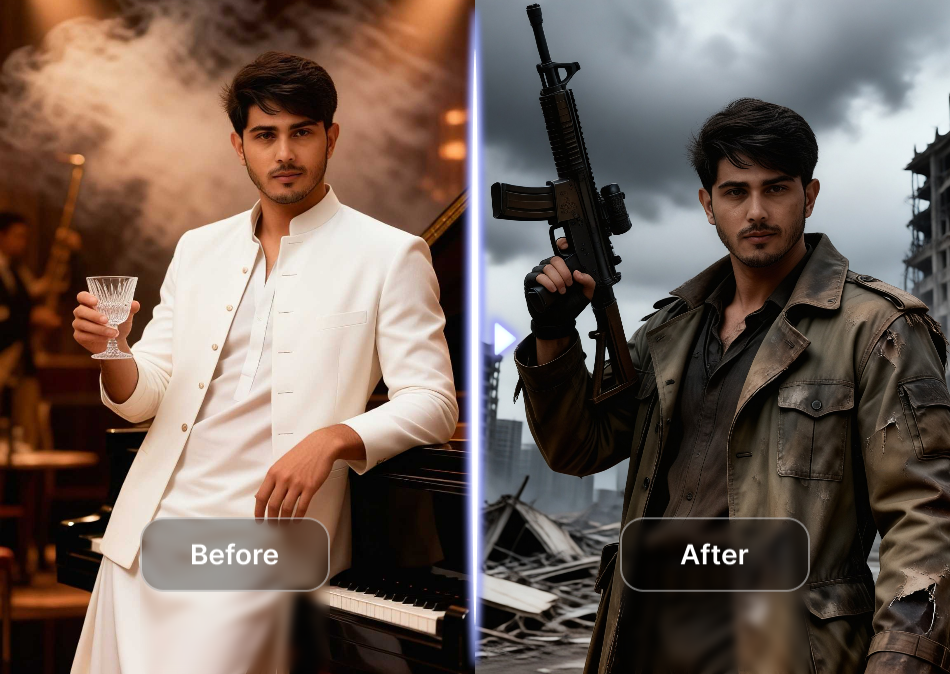
The vimi mobile app offers a straightforward way to apply these prompts. Its text to image feature accepts natural language descriptions without complex prompt engineering. You can also upload an existing character photo and use the image to image tool to transform it into an action figure style. The app includes a wide range of style filters, from realistic 3D to anime and vinyl toy looks. While the app is designed for simplicity, the prompts above still work well when you paste them into the text input. For image to image, use a portrait of a character and add the prompt as a style reference. The app will preserve the subject while applying the toy aesthetic.
Common Mistakes to Avoid
Even experienced users make errors that reduce the quality of action figure images. Avoid these pitfalls to save time and credits.
- Vague material terms: Saying "plastic toy" is too generic. Specify matte, glossy, transparent, or die cast.
- Ignoring scale context: Action figures exist in a world of miniatures. Add elements like a display base, a human hand holding the figure, or a shelf background to emphasize scale.
- Overloading the prompt: Too many details can confuse the model. Focus on 4 to 6 key descriptors per prompt.
- Skipping lighting: Lighting is half the image. Always include a lighting term like "soft studio light" or "dramatic side light."
- Not specifying pose: A static standing pose is fine, but a dynamic action pose or an accessory interaction adds life.
Conclusion
Action figure AI prompts open up a creative playground for toy enthusiasts and digital artists alike. By combining specific material descriptions, articulation details, lighting, and art styles, you can generate images that look like professional product shots or custom collectible concepts. The twelve prompts in this guide give you a strong starting point. Experiment with your own characters and settings, and remember to refine based on the tips above. With tools like vimi, the barrier to creating custom action figure visuals has never been lower. Download the app, paste a prompt, and watch your miniature hero come to life.