If you have ever tried to create anime art with AI, you know that lighting can make or break an image. A flashlight is not just a prop. It is a storytelling tool that creates focus, mood, and mystery. The right anime flashlight AI photo prompt can turn a flat character portrait into a cinematic scene full of depth. This guide gives you 12 specific prompts built around flashlight lighting, along with practical tips for adapting them and fixing common mistakes. Whether you use Vimi or another AI image generator, these prompts are ready to copy and use right now.
What Are Anime Flashlight AI Photo Prompts?
Anime flashlight AI photo prompts are text instructions designed for AI image generators. They describe a scene where a character or object uses a flashlight as the main light source. The prompts include details about the character, setting, mood, camera angle, and anime style. The flashlight beam becomes the visual anchor, illuminating part of the frame while leaving the rest in shadow. This contrast is what makes the images feel dramatic and immersive.
These prompts work well in text-to-image tools like Vimi. You type the prompt, choose an anime style filter, and the AI generates a high-quality image. Because the flashlight creates strong directional light, the results often look more professional than evenly lit scenes.
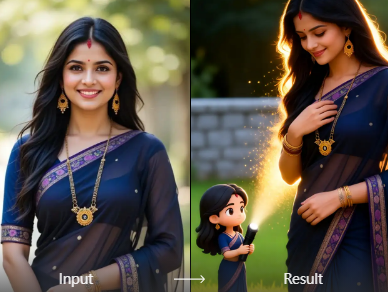
Why Flashlight Lighting Creates Powerful Anime Images
Flashlight lighting is a classic technique in anime, horror, and mystery genres. It does three things very well. First, it draws the viewer's eye to a specific area, usually the character's face or an object they are holding. Second, it creates a sense of exploration or danger, as if the character is searching for something in the dark. Third, it adds texture to the scene by revealing detail in the beam while hiding the surroundings in shadow. AI models respond strongly to prompts that describe a clear light source, so mentioning a flashlight helps the generator understand the desired composition.
To get the best results, always include the direction of the light, the color of the beam, and what the beam hits. For example, writing "flashlight beam cuts through fog" is much more effective than simply writing "flashlight". Specific details give the AI a clearer picture to render.
12 Ready-to-Use Anime Flashlight AI Photo Prompts
Copy any of these prompts directly into your AI image generator. Each prompt includes specific details for lighting, mood, character, and style. You can use them as they are or modify them to fit your own ideas.
- Mysterious Forest Wanderer: A young anime girl in a dark forest, holding a flashlight beam that cuts through dense fog, soft blue and green palette, mysterious atmosphere, detailed trees, light rays, cinematic composition, Ghibli-inspired style.
- Abandoned Hospital Corridor: A teenage anime boy holding a flashlight in a dark abandoned hospital hallway, the beam reveals peeling paint and old medical equipment, cold teal and grey tones, dust particles in the light, suspenseful mood, detailed anime art style.
- Camping Under the Stars: Two anime friends sitting around a small campfire at night, one holds a flashlight pointed at a map, warm orange flashlight glow contrasts with cool blue night sky, cozy atmosphere, detailed stars visible above, slice of life anime style.
- Cyberpunk Alley Search: A futuristic anime woman in a neon-lit alley, holding a high-tech flashlight that emits a sharp white beam, reflections on wet pavement, purple and cyan neon signs in the background, cyberpunk anime aesthetic, high contrast lighting, detailed character design.
- Reading Under the Blanket: A cute anime child hiding under a blanket at night, holding a small flashlight to read a book, warm yellow light illuminates the child's face and the book pages, soft shadows, heartwarming mood, pastel anime style.
- Haunted House Explorer: An anime girl with a determined expression holding a flashlight while opening a dusty wooden door, the beam reveals floating dust and an old staircase, dark brown and amber tones, eerie atmosphere, detailed background, classic anime horror style.
- Nighttime Beach Walk: A lone anime boy walking on a beach at night, holding a flashlight down to watch the waves, the beam reflects off the wet sand, deep blue ocean in the background, calm and reflective mood, detailed water and light reflections, anime art style with soft shading.
- Attic Treasure Hunt: An anime grandmother and granddaughter in an old attic, the granddaughter holds a flashlight while they look through a box of old photographs, warm sepia tones, nostalgic atmosphere, light beam highlights dust and cobwebs, gentle and heartwarming anime style.
- Tunnel of Mystery: A group of anime adventurers walking through a dark tunnel, one leader holds a flashlight at the front, the beam creates long shadows on the curved walls, cold grey and brown palette, adventurous mood, detailed rock textures, shonen anime style.
- Snowy Night Search: An anime woman in a heavy winter coat holding a flashlight in a snowy forest, the beam catches falling snowflakes, cool blue and white color scheme, lonely and quiet atmosphere, detailed snow-covered trees, anime film still style.
- Subway Platform After Hours: A tired anime office worker standing on an empty subway platform at night, holding a phone flashlight to check the schedule, dim fluorescent lights above, grey and green tones, realistic anime background, melancholic mood.
- Fantasy Cave Discovery: An anime elf holding a glowing crystal flashlight inside a dark cave, the beam reveals ancient carvings on the wall, purple and teal magical glow, sense of wonder, detailed fantasy setting, anime style with intricate line art.
How to Adapt These Prompts for Your Own Ideas
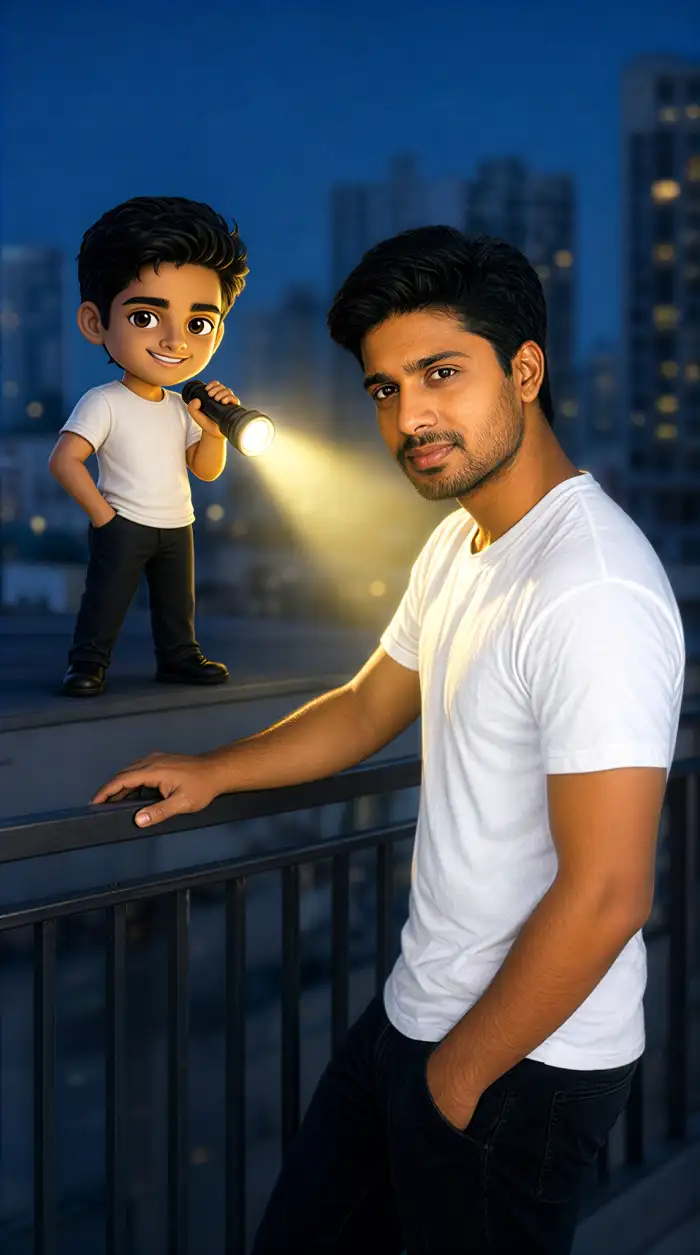
The best anime flashlight prompts are flexible. You can change the character, setting, or mood while keeping the core flashlight element. For example, replace "forest" with "abandoned factory" or "old library". Change the character from a girl to a boy or an animal. Adjust the color palette by saying "warm amber flashlight" instead of "cool white beam". You can also add a second light source, like moonlight or a phone screen, to create more complex lighting.
When you modify a prompt, always keep the flashlight description specific. Tell the AI where the beam points, how wide it is, and what it reveals. If you want a close-up portrait, say "close-up on face lit by flashlight". If you want a wide shot, say "full body shot, flashlight beam extends into background". These small additions make a big difference.
Common Mistakes and How to Fix Them
One common mistake is writing a prompt that is too vague, like "anime character with flashlight". The AI will often produce a flat image with a generic flashlight. Instead, always describe the beam direction, the surrounding darkness, and the emotion of the scene. Another mistake is overusing bright colors. Flashlight scenes work best with a darker palette, so specify dark backgrounds and muted tones. Finally, avoid asking for too many light sources. If you add a flashlight, moonlight, and a campfire, the AI may get confused and produce washed-out lighting. Stick to one main light source and one secondary ambient light.
If your results look too soft or blurry, add words like "sharp focus", "detailed textures", or "high resolution". If the character looks off-model, include a specific anime style reference, such as "Ghibli-inspired" or "90s retro anime". In Vimi, you can also apply an anime style filter after generating the base image to refine the look.
Using These Prompts in Vimi
Vimi is an all-in-one AI creation app that supports text-to-image generation with a huge library of style filters. To use these anime flashlight prompts, open the app, select the text-to-image feature, paste one of the prompts, and choose an anime style filter from the collection. You can generate multiple variations and pick the one you like best. The app also allows image-to-image editing, so you can upload a rough sketch or an existing photo and apply the flashlight lighting effect on top.
Because Vimi runs entirely on mobile, you can create these scenes anywhere. Download the app from Google Play, and try one of the prompts above. Start with the first prompt, generate a few versions, then tweak the wording until you get the exact mood you want.
With the right prompt, a flashlight is more than a light source. It is a narrative device that turns a simple anime image into a story. Use these 12 prompts as your starting point, and soon you will be creating your own dramatic flashlight scenes with confidence.