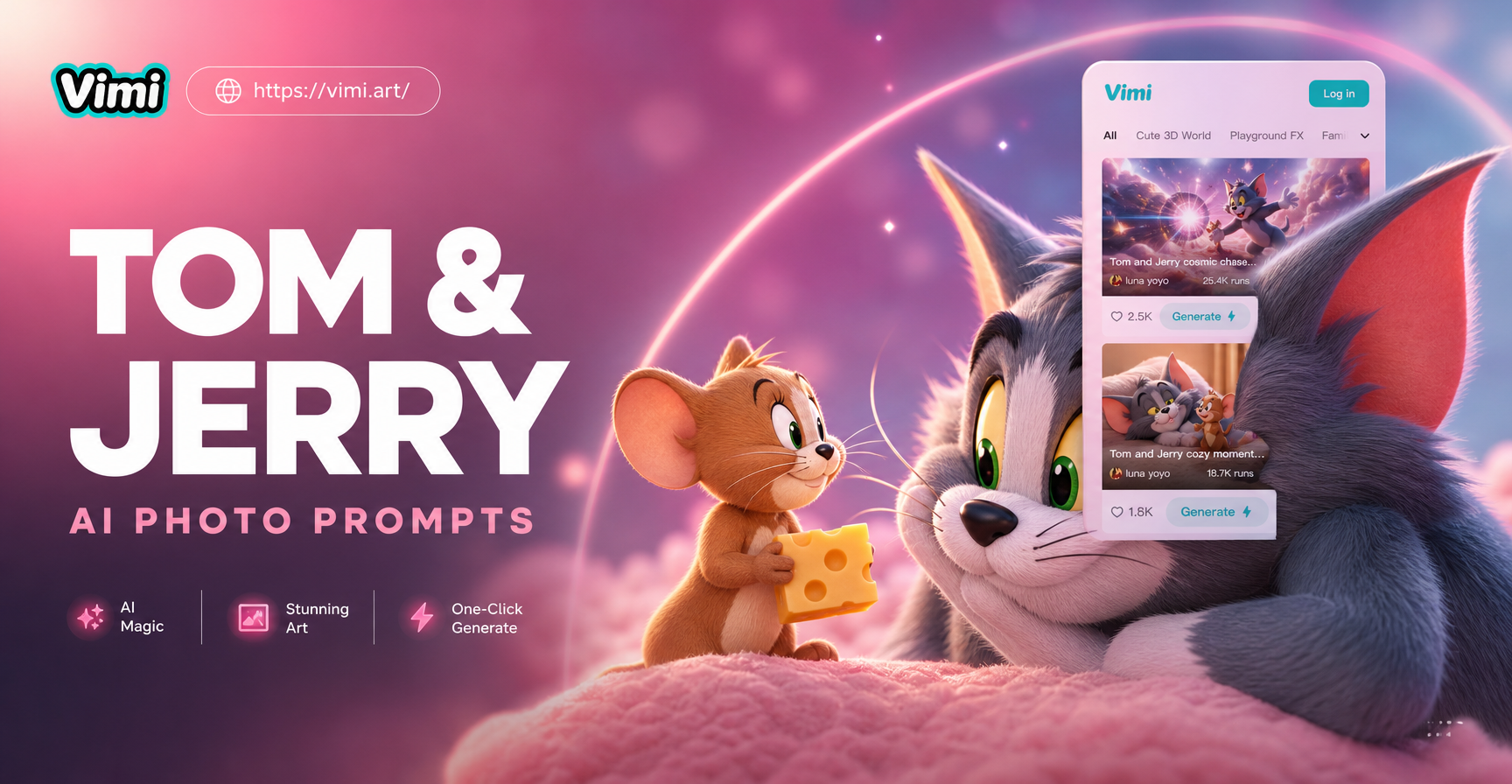
If you have tried to create Tom and Jerry style AI photos, you know that a vague prompt gives you a generic cartoon cat or a random mouse. The classic duo has a specific look: a blue-gray cat with a white muzzle and belly, a small brown mouse with round ears, clean mid-century animation outlines, and exaggerated slapstick energy. These Tom and Jerry AI photo prompts focus on those visual details. They help you generate playful chase scenes, cozy interiors, and retro cartoon moments without needing advanced prompt engineering skills.
What Makes a Strong Tom and Jerry AI Photo Prompt
AI image generators respond best to concrete visual language. A prompt like 'cartoon cat and mouse' leaves too much room for random styles. A stronger prompt names the fur colors, body shapes, background, lighting, and action. It also sets the animation era and finish, such as 1950s cel animation, flat colors, or 3D clay. The more specific you are, the more likely the image will match the Tom and Jerry mood you have in mind.
Key Visual Elements to Describe
- Character appearance: blue-gray cat, white muzzle, small brown mouse, large round ears, long tail.
- Animation style: mid-century cel animation, clean black outlines, flat color fills, subtle film grain.
- Setting: retro living room, kitchen, pantry, garden, attic, or basement.
- Action or gag: chasing, skidding, sneaking, balancing, hiding, or sharing food.
- Props: cheese wedge, mousetrap, rolling pin, broom, yarn, bucket, or cluttered shelves.
- Mood and lighting: warm lamp light, bright daylight, moonlit window, soft shadows.
How to Adapt a Prompt for Different AI Generators
If your generator favors photorealism, add phrases like 'cel animation still', 'flat cartoon style', or 'vintage Saturday morning cartoon'. If it makes characters too soft and cute, add 'exaggerated slapstick pose', 'sharp clean outlines', and 'mischievous expression'. In vimi, you can also choose a filter that already matches the desired look, then paste one of the prompts below.
Classic Chase Scene Prompts
These prompts focus on the fast, physical humor that makes Tom and Jerry scenes memorable. Copy any prompt, change the setting or prop, and generate several versions.
- Living Room Skid. A blue-gray cartoon cat with a white muzzle chases a small brown mouse through a bright 1950s living room. The cat skids on a patterned rug, eyes wide, claws out. The mouse holds a wedge of Swiss cheese and looks back with a grin. Clean cel animation outlines, warm vintage colors, dynamic action pose.
- Baseboard Chase. A small brown mouse peeks from a hole in a wooden baseboard. A blue-gray cat lies in wait behind an armchair, one paw raised. Exaggerated shadows, retro cartoon background, soft yellow wallpaper, high detail.
- Kitchen Chaos. A dramatic kitchen scene. A blue-gray cat balances on a broom handle while a brown mouse swings from a chandelier. Flour clouds and a rolling pin fly through the air. Vintage slapstick cartoon style, strong outlines, pastel 1950s palette.
- Refrigerator Standoff. A cat and mouse stand face to face in front of a refrigerator. The cat wears a mischievous grin. The mouse points toward a mousetrap. Cartoonish tension, clean background, comic panel composition.
- Backyard Pursuit. A blue-gray cat leaps over a wooden fence while a brown mouse zooms through a flower bed. Grass clippings and a garden hose add to the motion. Bright outdoor light, classic animated cartoon look, dramatic perspective.
- Attic Adventure. A cat and mouse race across dusty boxes in an attic. The cat knocks over a stack of books. The mouse slides down a sloping beam. Warm dusty light, retro cartoon style, wide action shot.
- Staircase Sprint. A brown mouse runs up a carpeted staircase, while a blue-gray cat tumbles down with a surprised expression. Motion lines, old-fashioned wallpaper, vintage home interior.
- Street Alley Dash. A cartoon cat and mouse sprint through a narrow alley filled with trash cans and wooden crates. The cat's paws slip on a banana peel. Gritty background, playful animation style, strong shadows.
Everyday Slapstick Comedy Prompts
Not every Tom and Jerry inspired image needs a chase. These prompts capture quieter, funnier moments.
- Cheese Heist. A blue-gray cat sleeps in a round pet bed. A brown mouse tiptoes past carrying a piece of cheese bigger than its body. Cozy living room, warm lamp light, retro cartoon style.
- Pet Door Trouble. A cat tries to squeeze through a pet door while a mouse pushes a toy car at its tail. Over-the-top expression, motion lines, vintage animation still.
- Reading Time. A brown mouse sits on a stack of books reading a tiny newspaper. A blue-gray cat peers over the top with one eye. Warm library background, clean outlines.
- Yarn Trap. A cat is tangled in blue yarn in a sewing room. A brown mouse rolls a ball of yarn away with both paws. Soft morning light, mid-century cartoon look.
- Milk Bowl Truce. A cat and mouse share a single bowl of milk in a quiet moonlit kitchen. Both have tired, content expressions. Soft cool tones, gentle shadows, cel animation style.
- Pantry Stack. A cat and mouse build a tower of canned goods in a pantry. The tower leans dangerously to one side. Warm shelf lighting, cluttered background, playful cartoon detail.
Different Visual Styles for Tom and Jerry AI Photos
The classic look is only one option. You can use the same character descriptions with a new style phrase to get fresh results.
3D Claymation Style
- A 3D claymation style cat with blue-gray fur and a brown mouse posed as if frozen in a chase. Soft clay textures, tiny fingerprints, colorful miniature living room set, playful studio lighting.
- A stop motion style scene of a cat and mouse on a kitchen counter with an oversized cheese wedge. Textured clay, bright rim light, shallow depth of field.
- A claymation cat with a white muzzle balances on a stack of wooden blocks while a clay mouse swings on a piece of string. Handcrafted set, vibrant colors, soft shadows.
Vintage and Retro Animation
- A 1940s cel animation still of a blue-gray cat and brown mouse in a black and white kitchen, grain texture, slight film blur, authentic retro animation cel.
- A faded 1960s Saturday morning cartoon frame of a cat chasing a mouse through a suburban living room, muted colors, slight print offset, vintage title card border.
- A retro comic book panel showing a cat and mouse in a dynamic chase, halftone dots, bold black outlines, bright primary colors.
Realistic Animal Photography
- A photorealistic blue-gray cat watches a small brown mouse near a wooden floor, natural indoor lighting, shallow depth of field, documentary animal photography style, no anthropomorphic clothing.
- A macro photograph of a brown mouse holding a tiny piece of cheese, with a blue-gray cat blurred in the background, warm window light, high detail fur.
- A realistic scene of a cat and mouse facing off in a barn, golden hour light, dust particles, natural textures.
Watercolor and Storybook Illustration
- A soft watercolor painting of a cat and mouse resting under a checkered tablecloth, gray and brown washes, white background, delicate brush strokes.
- A children storybook illustration of a blue-gray cat and a brown mouse riding a toy train through a garden, soft pastel colors, gentle outlines, whimsical mood.
- An ink and watercolor sketch of a cat peeking around a door while a mouse tiptoes away, minimal background, expressive faces.
How to Fix Common Tom and Jerry AI Prompt Problems
Even detailed prompts can produce weak results. Here are the most common issues and how to correct them.
The characters do not look consistent
If the cat changes color or the mouse looks different in every image, repeat the same character description in every prompt. Use phrases like 'blue-gray cat with a white muzzle' and 'small brown mouse with large round ears' exactly. In vimi, generate one good base image, then use image-to-image with the instruction 'keep the same characters, change the background to a garden'.
The image looks too realistic or too polished
Add style locks such as 'flat cel animation', 'retro cartoon', 'clean black outlines', or 'no photographic lighting'. If the result still looks like a live action movie, choose a cartoon or vintage filter in the app before generating.
The scene is empty or lacks chase energy
Add a strong action verb and a prop. Instead of 'a cat and a mouse in a kitchen', write 'a blue-gray cat skids across a wet kitchen floor while a brown mouse swings on a dish towel'. Motion words and flying objects create the slapstick feel.
Text or logos appear in the image
AI models sometimes add random words. End your prompt with 'no text, no captions, no watermark, no logo'. This helps keep the image clean.
Characters look too friendly or generic
Tom and Jerry style depends on playful tension. Add 'mischievous grin', 'wide startled eyes', 'raised paw', or 'over-the-top reaction' to push the expression away from a generic cat and mouse portrait.
Using These Prompts in vimi
vimi is a mobile AI design app available on Google Play. It works on Android and does not have a web version. You can use its text-to-image tool to enter any of these Tom and Jerry AI photo prompts, or upload a reference image with image-to-image to refine a scene.
Simple Workflow
- Download vimi from Google Play and open the app.
- Choose a style filter such as retro cartoon, 3D clay, watercolor, or realistic.
- Paste one of the prompts above into the text-to-image field.
- Generate three or four versions and pick the best one.
- Use image-to-image to change the background, pose, or mood while keeping the characters consistent.
More Prompt Ideas to Try
If you want more variety, swap the setting or prop in any prompt above. Here are additional one-line ideas that work well with the same style descriptions.
- A cat and mouse build a tower of canned goods in a pantry while the tower tilts.
- A cat is tangled in yarn while a mouse rolls a ball of yarn away.
- A cat and mouse share a single bowl of milk in a quiet moonlit kitchen.
- A cat tries to climb a stack of crates while a mouse watches from a shelf.
- A mouse rides a remote control car while a cat chases behind with a butterfly net.
- A cat and mouse pause their chase to watch a tiny television set together.
These Tom and Jerry AI photo prompts work best when you describe the look, action, and setting instead of relying only on character names. Keep the description consistent and choose a style filter that matches the classic animation look. Download vimi, start with a few prompts above, and generate scenes you can share as profile pictures, stickers, or story illustrations.