AI Shocked Face Effect

Bill Shock



Why Use Vimi AI Shocked Face Effect
Discover the advantages that make Vimi your preferred app for expression editing.
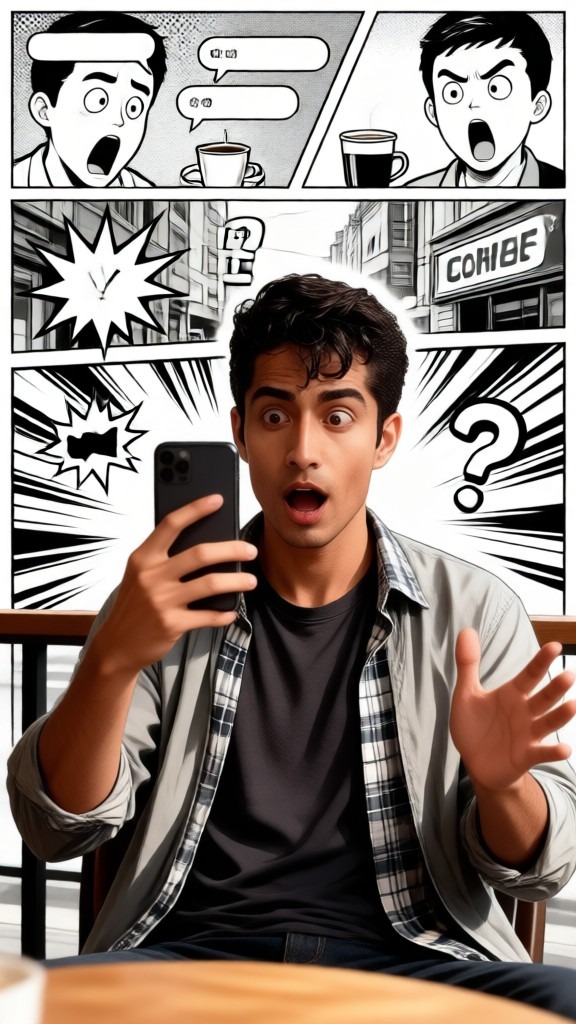
Create Viral Reaction Content
Reaction images perform well on social media. Shocked faces get attention and engagement. Vimi helps you produce these popular content types quickly. Your posts can join trending conversations with custom reaction images.
Create Viral Reaction Content
Reaction images perform well on social media. Shocked faces get attention and engagement. Vimi helps you produce these popular content types quickly. Your posts can join trending conversations with custom reaction images.
Key Features of Vimi AI Shocked Face Effect
Explore the tools that make Vimi the best choice for shocked face transformations.
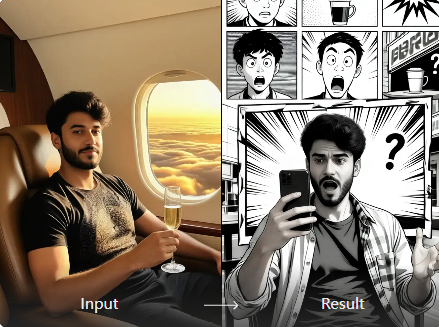
Multiple Shock Levels
Vimi offers various surprised expressions for your photos. Pick from mild surprise, wide eyed shock, or extreme jaw drop. Each level creates a different reaction feel. You can match the intensity to your content needs.
Multiple Shock Levels
Vimi offers various surprised expressions for your photos. Pick from mild surprise, wide eyed shock, or extreme jaw drop. Each level creates a different reaction feel. You can match the intensity to your content needs.
Natural Expression Generation
The AI creates shocked looks that appear genuine and believable. Eyes widen naturally and mouths open correctly. The expression matches the rest of the face. This avoids the fake look that many basic editing tools produce.
Natural Expression Generation
The AI creates shocked looks that appear genuine and believable. Eyes widen naturally and mouths open correctly. The expression matches the rest of the face. This avoids the fake look that many basic editing tools produce.
Face Feature Preservation
Vimi keeps your original facial structure intact during transformation. Your face shape and features stay recognizable. The AI only changes the eye and mouth areas. Friends and followers can still tell who you are.
Face Feature Preservation
Vimi keeps your original facial structure intact during transformation. Your face shape and features stay recognizable. The AI only changes the eye and mouth areas. Friends and followers can still tell who you are.
How to Create Shocked Face Photos with Vimi?
Using Vimi AI Shocked Face Effect, add surprised expressions to your photos in three simple steps.

Step 01.
Visit the Vimi website. This directs you to the Google Play Store. Install the app on your mobile device.

Step 02.
Open Vimi and browse the template library. Choose the AI Shocked Face Effect filter. Upload the photo you want to modify.

Step 03.
Tap generate and wait seconds. The AI creates your shocked face image. Download it or share directly to social platforms.
Frequently Asked Questions
Find clear answers to common questions and get the guidance you need to make the most of our platform, faster and easier.
More Topics You May Like
Explore more topics you may like and discover fresh ideas tailored to your interests.

AI Laughing Face Effect

AI One Piece Character Generator

AI Room Generator

AI Belly Generator
AI Laughing Face Effect
AI One Piece Character Generator
AI Room Generator
AI Belly Generator
Download Vimi and Make Your Reaction Photos Today
Apply the latest viral effects to videos and images effortlessly. Create shocked expressions instantly with Vimi AI.
Download Vimi and Make Your Reaction Photos Today
Apply the latest viral effects to videos and images effortlessly. Create shocked expressions instantly with Vimi AI.